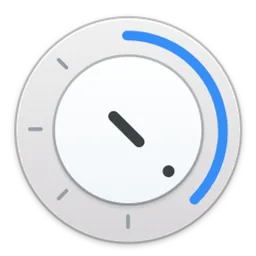
Timer for MAC
Free, open-source countdown timer for Mac: drag the arrow to set the time, release to start, and get a notification when time is up.
Timer Overview
Timer is a simple, good-looking countdown timer for the Mac. Drag the blue arrow around the dial to set the time and release it to start; click to pause. When the time is up, a notification appears with a pleasant sound. You can also type the time: enter digits for minutes, and use a decimal point for seconds, so 2.30 is two minutes and thirty seconds. Need more than one? Press Command-N for a new timer, each in its own small window.
Timer is easy to drive from the keyboard: Return starts or pauses, R restarts the last timer, and the arrow keys add or remove a minute, or ten with Shift. Version 2.1.0 added the scroll wheel for setting the time, plus a URL scheme, AppleScript and a command-line tool, so you can start timers from scripts and other apps. Timer is made by Michael Villar and is free and open source under the MIT license. It is a universal app for Apple Silicon and Intel Macs and needs macOS 14 Sonoma or later.
Key Features
Timer does one thing, and does it beautifully.
- Drag to set: drag the arrow and release to start.
- Notification: a notification and sound when time is up.
- Type the time: digits for minutes, a decimal point for seconds.
- Many timers: open as many as you need with Command-N.
- Keyboard shortcuts: start, pause, restart and adjust time.
- Scroll wheel: set the time by scrolling.
- Automation: URL scheme, AppleScript and a command-line tool.
- Tiny: a 1.9 MB download.
What’s New in Version 2.1.0
Timer 2.1.0 adds automation and scroll-wheel input.
- URL scheme, for example timer://5 to start a five-minute timer
- AppleScript support and launch arguments
- A command-line tool, timer-cli, with start, stop, reset, pause and new
- Set the time with the scroll wheel
- Better cursor feedback on the arrow and better label contrast
Timer FAQ
Is Timer free?
Yes. Timer is free and open source under the MIT license.
Which macOS version does Timer need?
Timer 2.1.0 needs macOS 14 Sonoma or later.
Does Timer run on Apple Silicon?
Yes. It is a universal app for Apple Silicon and Intel Macs.
How do I set a timer?
Drag the blue arrow to the time you want and release it to start. Click to pause.
Can I type the time?
Yes. Type digits for minutes and use a decimal point for seconds: 2.30 is two minutes and thirty seconds.
Can I run several timers at once?
Yes. Press Command-N to open a new timer.
Which keyboard shortcuts does Timer have?
Return starts or pauses, R restarts the last timer, and the arrow keys or + and - add or remove a minute, ten with Shift.
Can I start a timer from a script?
Yes. Use the URL scheme, such as timer://5, AppleScript or the timer-cli command-line tool.
Can I install Timer with Homebrew?
Yes. Run brew install michaelvillar-timer.
Where does the Timer download on timer.FULLMAC.app come from?
The download button leads to the official Timer releases on GitHub at https://github.com/michaelvillar/timer-app/releases/latest. timer.FULLMAC.app does not change or repackage the app.
Similar Apps
 MarkEditMarkEdit is a free, lightweight Markdown editor for Mac. It describes itself as TextEdit for Markdown: it opens instantly, edits plain .md files without importing them into a library, and stays out of your way with a clean, native interface. It highlights Markdown syntax as you type, supports large files, and has strong search and replace, a table of contents, typewriter mode and many themes. Extra features, such as a live preview, can be added with extensions. MarkEdit is developed by the MarkEdit-app team.Productivity
 CluxoWhen you share your screen or record a tutorial, the mouse pointer is easy to lose. Cluxo is a small menu bar app that puts a colored ring around the cursor and shows every click, drag and scroll, so viewers always know where to look. It also has a spotlight that dims everything except the area around the pointer, a live magnifier, an on-screen keystroke display and a drawing mode for marking up the screen while you talk.Productivity
 Time to LeaveTime to Leave is a desktop app for keeping track of your working time, laid out much like a time-card system. You log the time you started work, and the app works out when you should leave, taking into account the time you spent on breaks such as lunch, then notifies you when that moment comes. It needs no database setup: you install it and start punching in. You can log your day in a Day view or a whole Month view, and see your running balance of hours.Productivity
 ColuracetamColuracetam is a Markdown reader and editor for Mac that shows the same rendered preview everywhere. Press the spacebar on a .md file in Finder and Quick Look shows it rendered in color, and Finder shows generated thumbnails of your Markdown files. Open a file in the app and you get a live split: plain monospace source on one side and the rendered page on the other, with text selection and search that work across the whole rendered document.Productivity
 MassReplaceItMassReplaceIt is a find and replace utility for many files at once. You choose the files or folders, type what to look for and what to put in its place, and MassReplaceIt searches either the file contents or the file names, such as changing the extension of hundreds of files in one go. Before anything is written you can preview the changes, and each search gives detailed results. Searches can be saved and used again, filters leave out files you do not want touched, and regular expressions handle patterns that plain text cannot.Productivity
 TypeCueTypeCue takes the typing out of screen recordings, tutorials, webinars and live presentations. You write your demo as an ordered list of text blocks. During the take, each press of a global hotkey (Control-Option-X by default) types the next block into whatever field has focus, as real keystrokes at a human pace, with no typos and the same result on every take. Press the hotkey again while it types to stop it.Productivity
FULLMAC.app does not host this app. Download buttons lead to the developer’s own pages.